Features
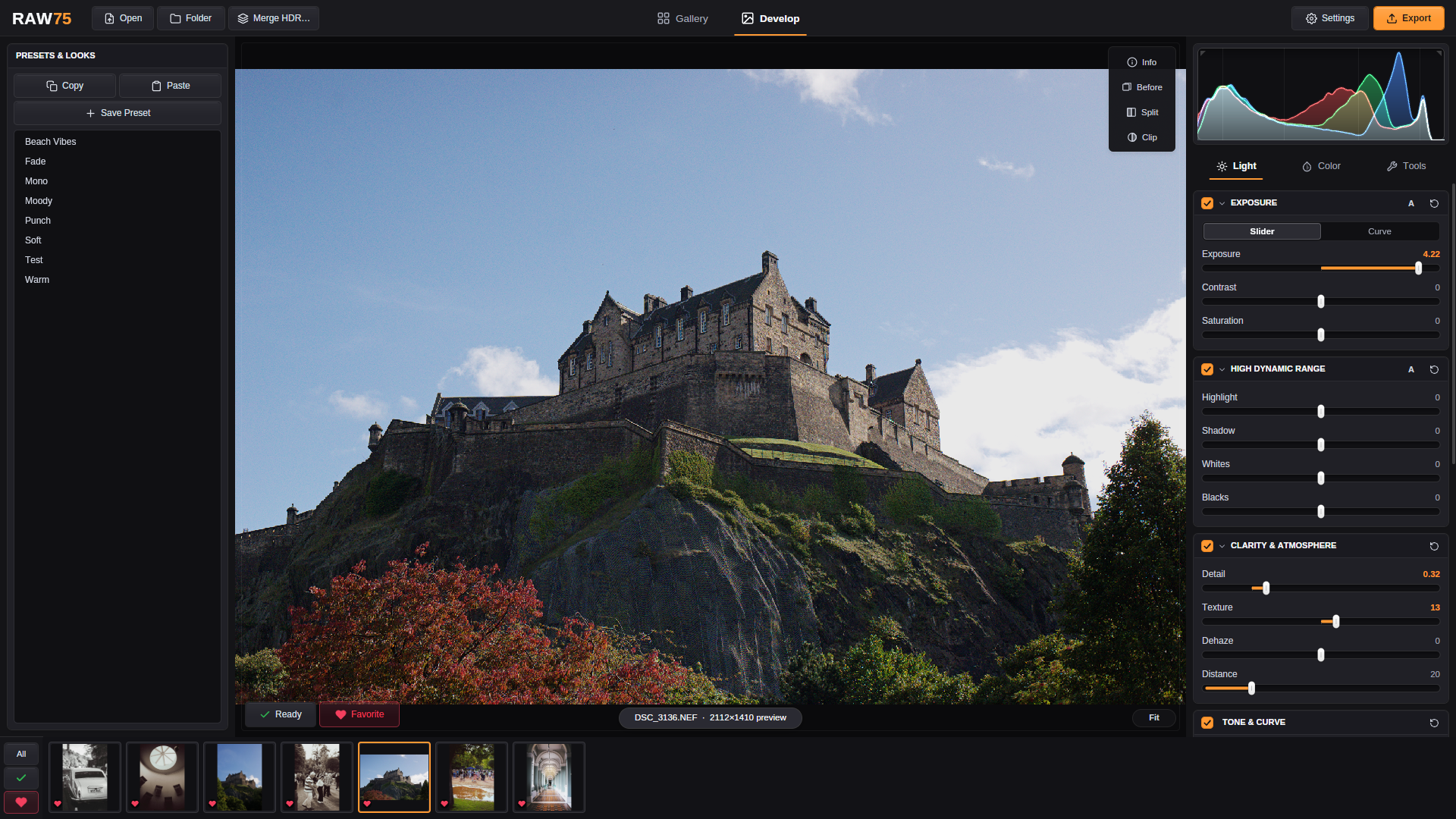
RAW75 has the tools most photos need, and keeps them fast. Develop runs on the GPU, and the export uses the same pipeline as the preview.
Light
The Light tab holds the controls you reach for on every photo. Each group can be switched off or reset on its own, and Exposure and High Dynamic Range have an A (auto) button that sets a starting point from the photo itself.
Exposure
- Exposure in EV, as a slider or a point curve
- Contrast and saturation
High dynamic range
- Highlight, Shadow, Whites and Blacks
- Choose how far these sliders reach (±100, ±150 or ±200) in Settings › Editor
Clarity & atmosphere
- Detail and Texture for local contrast
- Dehaze, with a Distance control for depth
Tone & curve
- Tone curve with contrast and skew
Highlight reconstruction
- Opposed or LCh recovery of clipped highlights, with threshold and color amount
Exposure curve
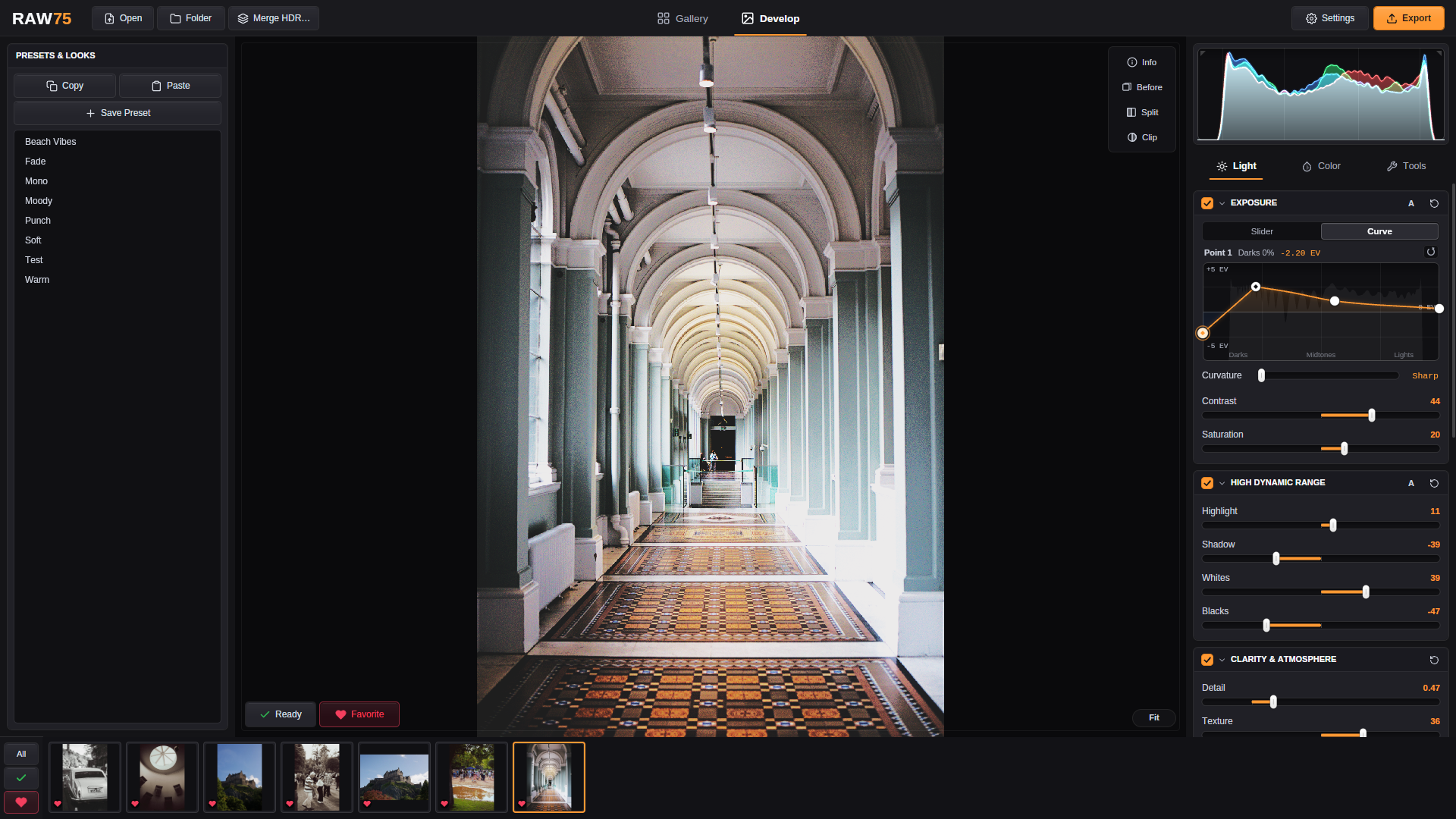
Switch Exposure from Slider to Curve to lift the darks and hold the lights point by point, in stops. The curve sits over the photo's own histogram so you can see where the tones are.
Curve
- Click to add a point, drag to move it, right-click to remove it
- Curvature from smooth to sharp
- Hold Shift to move a point slowly and precisely
Color
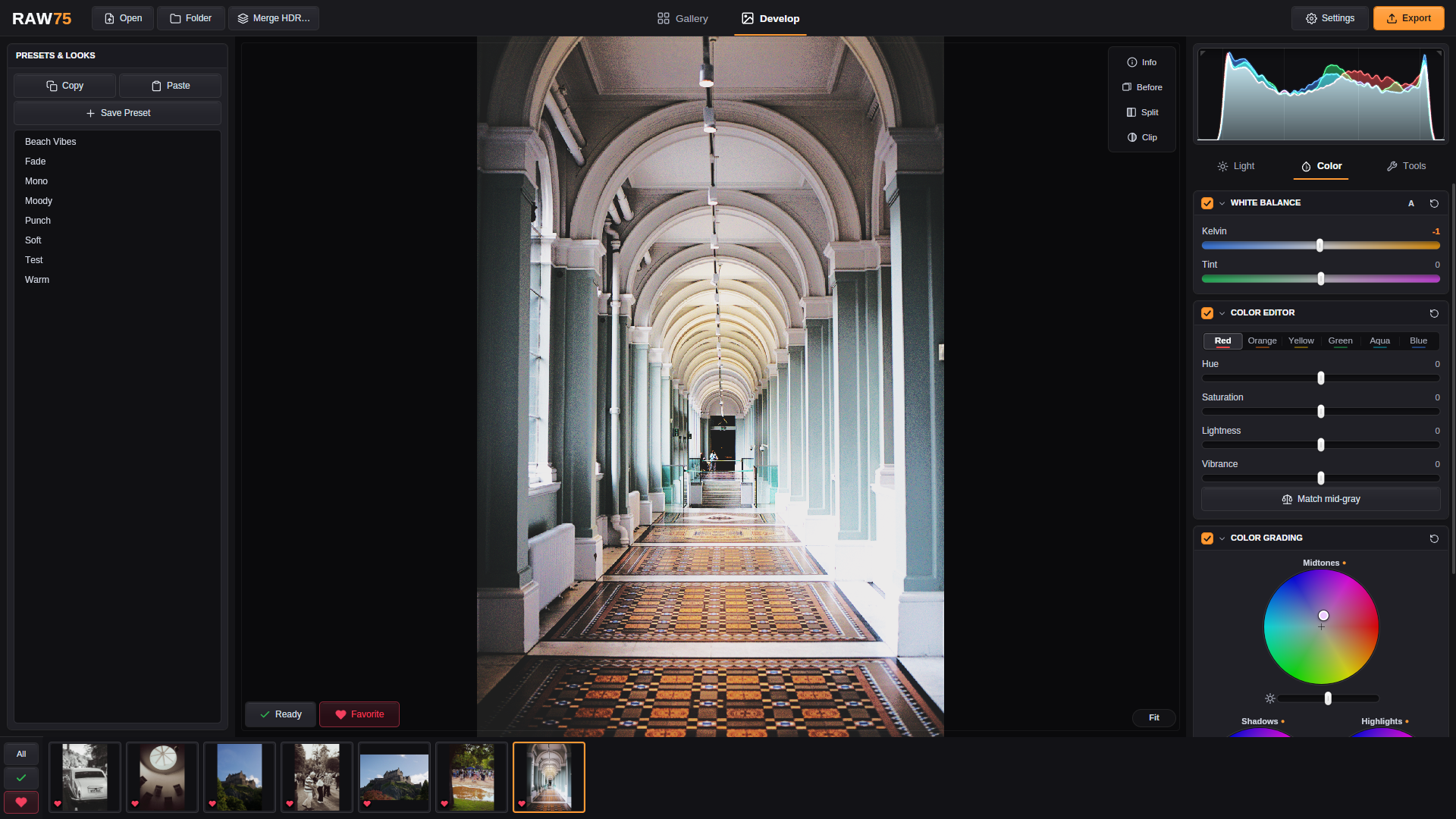
White balance, per-hue edits and grading live together in the Color tab.
White balance
- Kelvin and tint
Color editor
- Hue, saturation and lightness for red, orange, yellow, green, aqua and blue
- Vibrance
- Match mid-gray
Color grading
- Shadows, midtones and highlights wheels
- Balance and blending
Tools
Finishing tools for detail, geometry and distractions.
Detail & noise reduction
- Sharpen
- Noise reduction
Rotation, geometry & lens
- Crop and straighten
- Rotate and flip
- Vignette with midpoint
Spot removal
- Heal dust and small distractions, with size and diffusion
Gallery and export
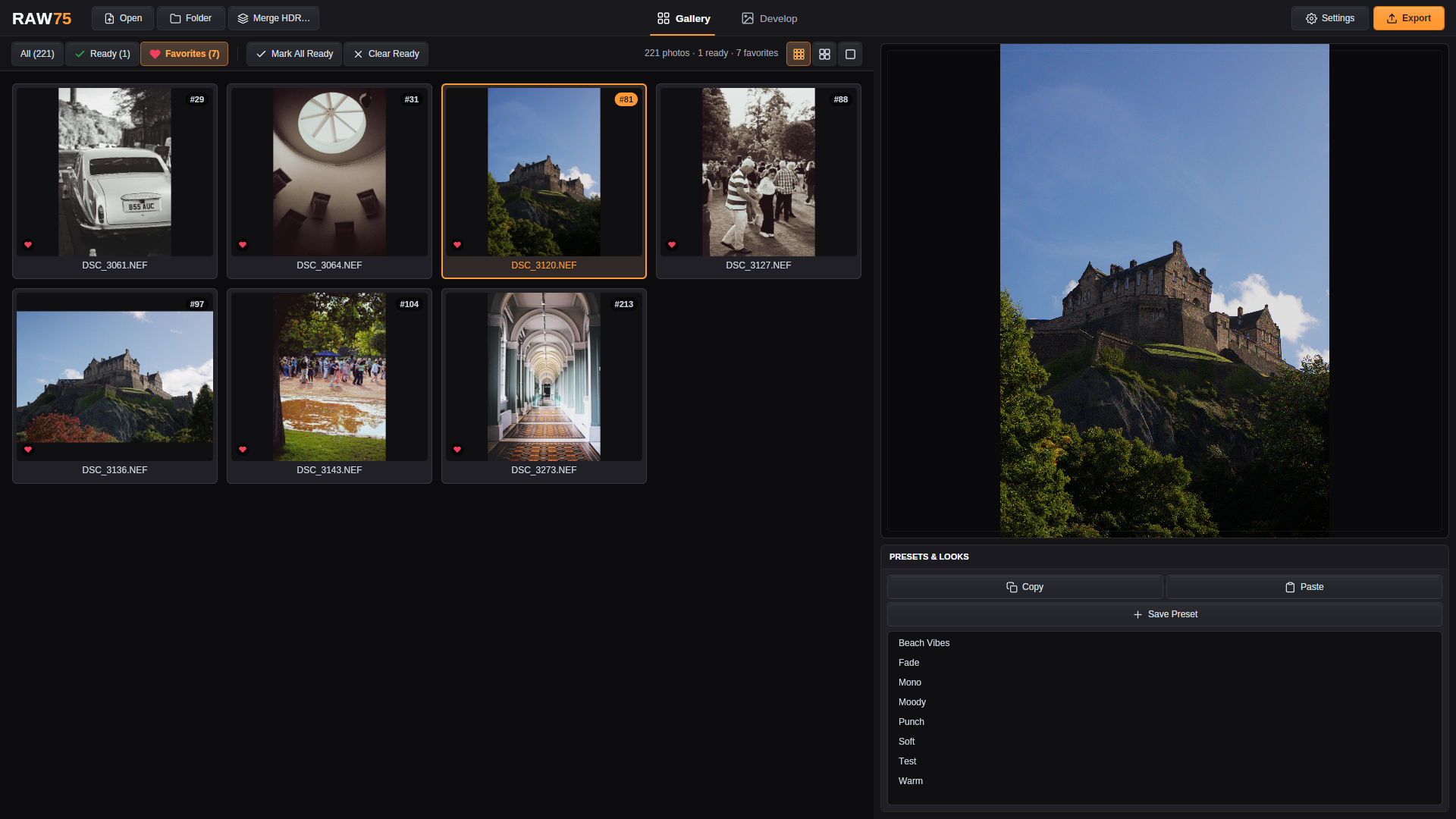
Point RAW75 at a folder and it becomes your workspace. Edits are saved as you go and never touch the original RAW files.
Gallery
- Grid of every photo in a folder, in three sizes
- Mark photos Ready or Favorite and filter by either
Presets & looks
- Copy and paste edits between photos
- Save your own presets
- Adaptive looks retarget tone to each photo
HDR merge
- Merge bracketed RAW files into one HDR image, with alignment and de-ghosting
Export
- JPEG, PNG, WebP or TIFF
- Full size or a long edge from 1920 to 5120 px
- One photo, every Ready photo, or all of them
- EXIF data is kept
Also
- Ten color themes for the interface.
- An Update button appears when a new version is out; RAW75 installs it and restarts.
- No account or sign-in. Your photos stay on your computer.
Free & open source · Linux, Windows and macOS